
The social media management platform Maybe* gets a fresh new look
Posted on in Business News ,Brands & Products News , Cycles News
 ACT partner Maybe* have redesigned their Engage page to make it easier to use and help IBDs to start using social media more efficiently.
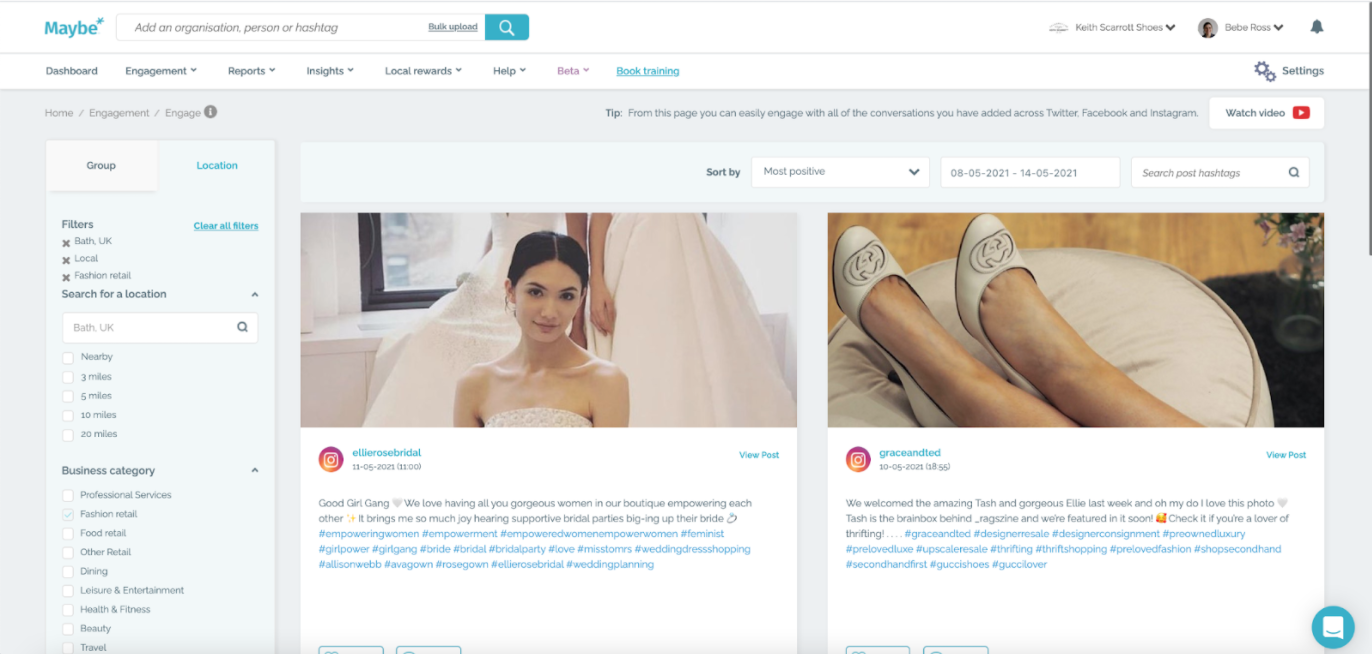
As one of the most visited sites on Maybe*, the Engage page has been redesigned to make it easier to use and to better showcase the images and videos posted on social media. Plus, they've built a new search functionality too!
Firstly, they have created two tabs of filters which will allow you to easily navigate and find the posts you are most interested in. The first is a tab just for a location search and the second contains all of your groups. To help you find posts more easily, they have also added search so you can search post hashtags within your feed by entering relevant keywords.
To help you understand how effective certain images are, they have increased the size of posts, giving you the option to click on the image and see it in full size.
Finally, you can now access the settings for each conversation within the page. You can add or change the group a conversation is organised into, turn on or off insights and edit any usernames or websites.
Maybe* Engage now has easier navigation with separate tabs for filtering locations or your groups
To make the page easier to use, they have split the filters in the left hand column into two separate tabs.
The ‘Location' tab holds a brand new location search, which will find you any address on Google in the UK. You can select your specific address, or hone in on your street, town or city.
Beneath this, you can select a radius around that location. If this is unselected, it will be set to ‘Nearby' by default, which is one mile. You can select up to 20 miles here, which is great for those of you based in the countryside.
If you then open ‘Business category', you can refine the search by sectors - for instance, Fashion retail, Health & fitness or Local government.
Under ‘Type' you can refine your results further, to just look at ‘Local' indies, or ‘National' chains. By opening up ‘Channel', you can filter posts from one social platform.
Moving along to the ‘Groups' tab of Maybe* Engage, if you are lucky enough to be in a sponsored group, these will be listed at the top.
The ‘Groups' section contains all of the groups you have created to organise conversations. Open up a group by clicking on the small arrow, and you are now able to search within a group by typing an organisation name into the search box, and you can select multiple conversations at a time.
At the bottom, you can filter your groups by the ‘Business category' and ‘Channel'.
Search post hashtags to keep on top of important conversations
Once you have selected your filters, you are now able to search the posts for keywords.
To do this, they have added a search bar at the top of the page next to the date. Enter any keyword and press enter. Any posts that have this word as a hashtag will be shown.
This has been added to make it easier to find conversations that are relevant to your business, town or sector.
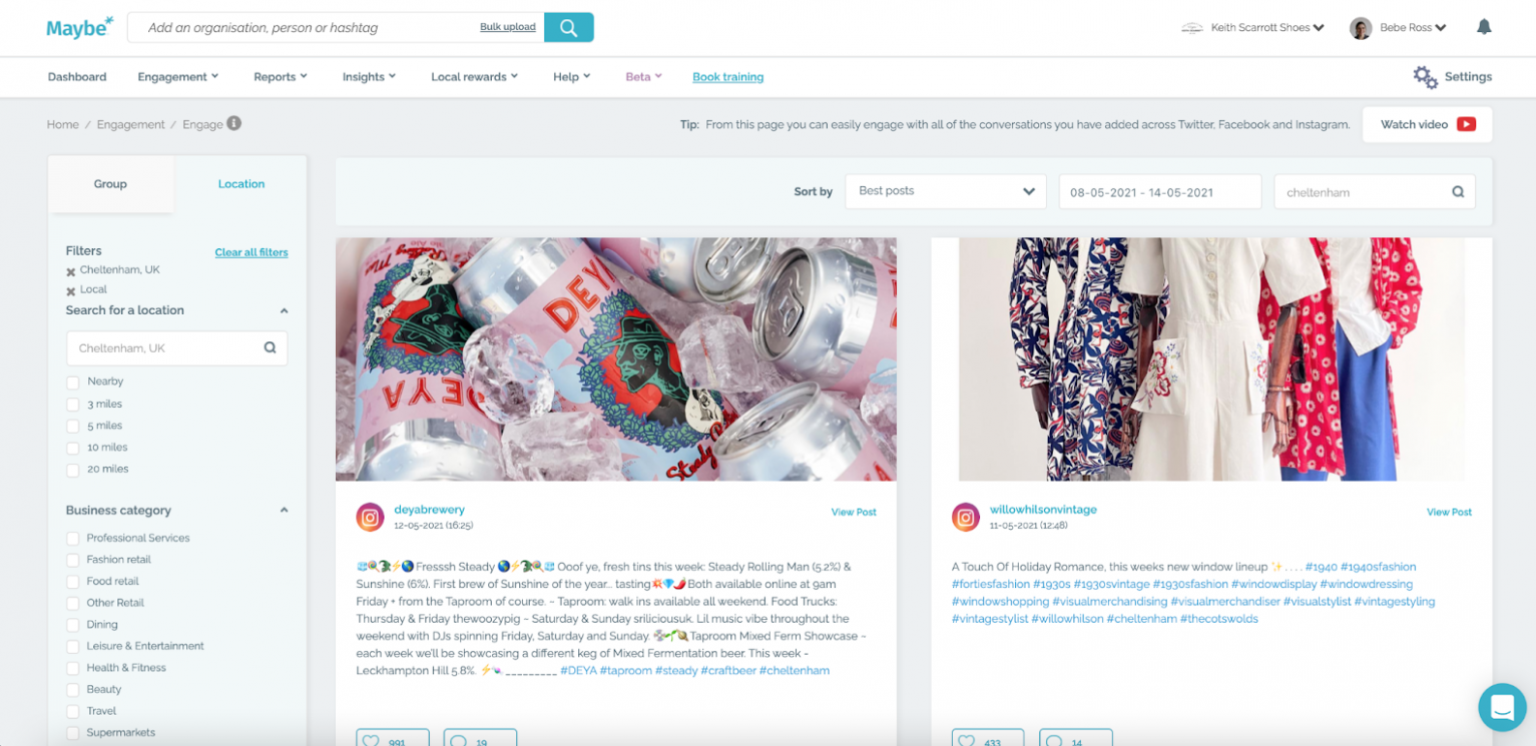
Enter any keywords into the search bar to help you find important conversations
New functions to improve the experience on the Engage page
Firstly, they have introduced a new design for images and videos, to give a better sense of how the post would appear natively in a social platform.
Click on the image or video to see it in full size, and go back to the post by selecting ‘Back to post' in the top right corner.
As you move around the page you will notice some icons appear when you hover your mouse over a post. If the conversation has not yet been added to a post, you will see a plus icon, then an icon with three dots, and at the bottom a calendar to schedule the post.
Clicking on the plus or three dot icons will open the settings for this conversation. This has been added so you can make changes to the conversation all on the Maybe* Engage page, instead of having to go to the Conversation manager in Settings.
At the top of the conversation settings you can choose or edit the group a conversation is in, turn on or off insights and edit the website or usernames if they are incorrect. Finally, at the bottom, you can delete the conversation for a group.
Please note - if the conversation is from a sponsored group, you will not be able to change the group or delete the conversation.
Finally, you can close the settings by selecting the arrow in the top right corner.
For conversations that are already added to a group, the plus icon will be replaced with the insights icon, which will take you to view your insights in the Insight builder.
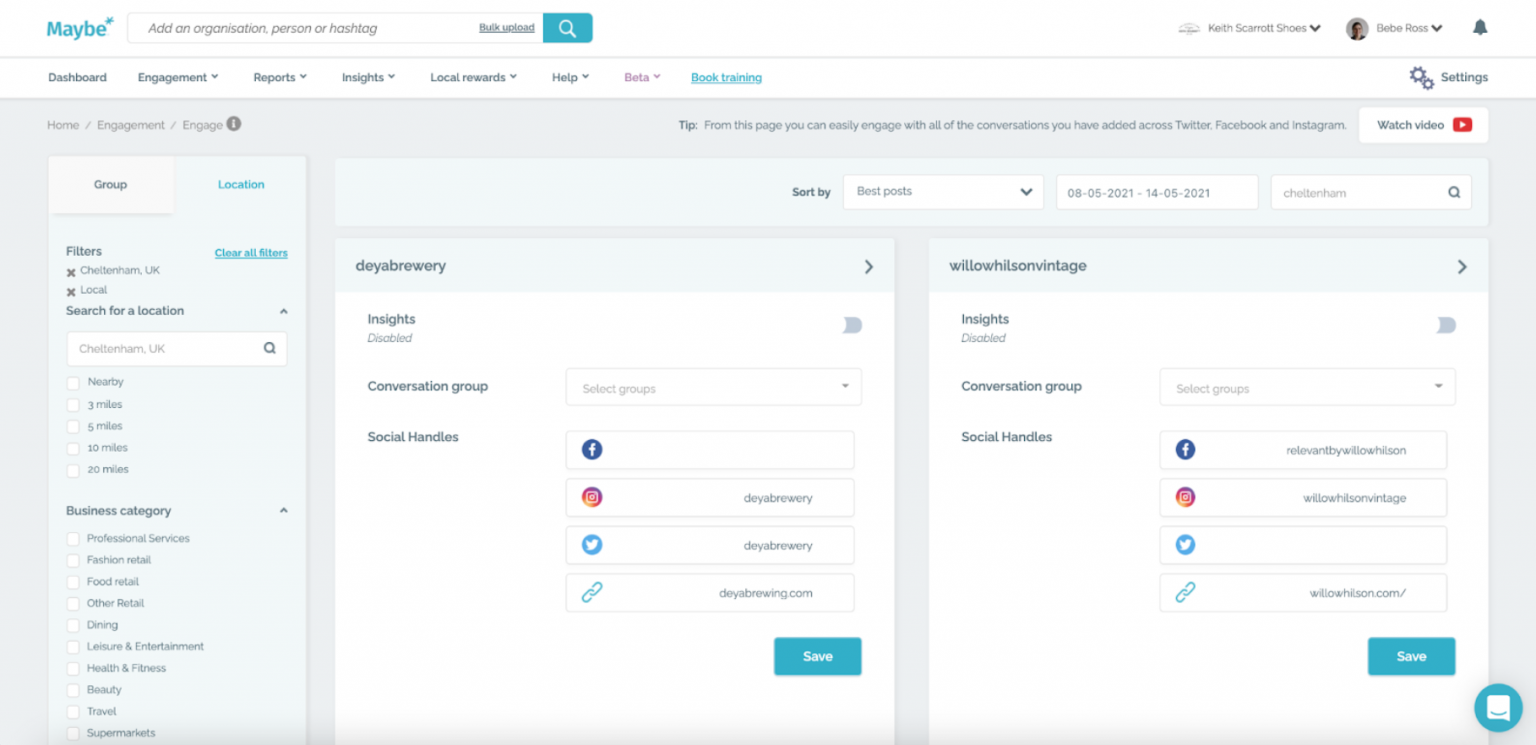
Click on images to see them full size, and make any changes to a conversation by opening up the settings
Improve your social media with Maybe*
ACT Gold members can benefit from 20% discount and Silver members benefit from 10% discount. Maybe* also hold monthly social media masterclasses on the first Wednesday of every month at 8pm.
Find out more about how Maybe* can benefit your business here.